Google-Chrome-Cache-Cleaners
Google Chrome Cache Cleaners 🧹
A collection of lightweight, easy-to-use tools to completely clear your Google Chrome cache. Over time, browser caches can build up, consuming gigabytes of storage and sometimes causing websites to act strangely. These scripts securely force-close Chrome and safely purge those hidden files.
🛠 Features
- Force closes Chrome: Automatically detects and safely terminates running instances of Google Chrome to ensure no files are locked during the cleanup.
- Deep Cleaning: Targets multiple heavy cache directories that ordinary browser “Clear History” options sometimes miss or fail to fully purge.
- Multi-Profile Support: Cleans caches for your primary
Defaultprofile as well as any other secondary profiles (e.g.,Profile 1,Profile 2) you have signed into.
🗑️ What Gets Deleted?
The scripts explicitly target the following heavy directories:
...\User Data\Default\Cache(Standard website images and files)...\User Data\Default\Code Cache(Cached Javascript/CSS logic)...\User Data\Default\GPUCache(Cached graphics shader data)...\User Data\ShaderCache&GrShaderCache(System-wide Chrome shaders)- Any internal
Cachefolders under multiple Google profiles.
🚀 The Available Scripts
1. Python GUI Application (chrome_cache_cleaner_gui.py) - Recommended
A clean, visual desktop application tailored for those who want real-time feedback.
Here is a preview of the application in action:
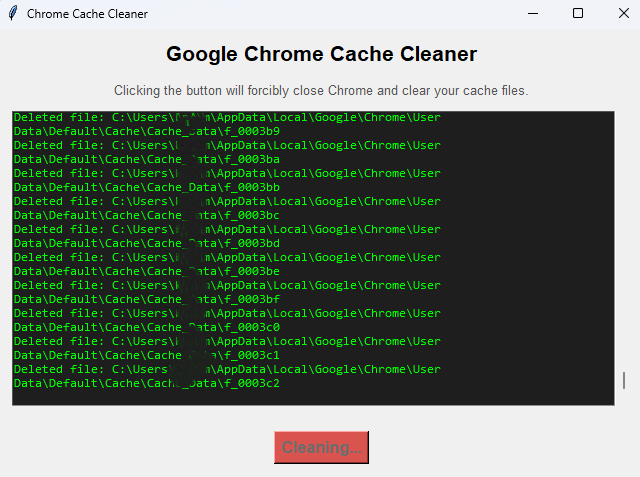
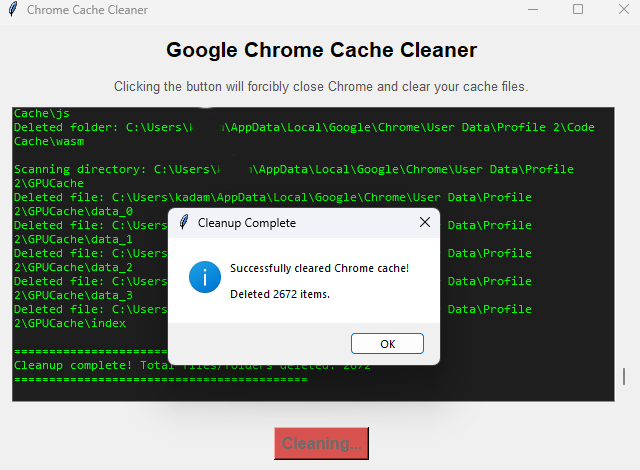
- What it does: Provides a graphical window. When you click “Clear Cache Now”, a scrolling console area prints out the exact path of every single file, thumbnail, and folder as it is being deleted.
- How to use: If you have Python installed, just run:
python chrome_cache_cleaner_gui.py
2. Batch Script (clear-chrome-cache.bat)
A robust command-line executable perfect for quick runs and automation.
- What it does: Silently and quickly deletes the highest-volume cache folders using the Windows Command Prompt.
- How to use: Simply Double-click the file. A black terminal window will pop up, do the job in a fraction of a second, and confirm when done.
3. PowerShell Script (clear-chrome-cache.ps1)
The modern Windows equivalent of the batch script, offering slightly better error tracking.
- What it does: Force-closes Chrome and uses PowerShell cmdlets to shred the cache contents, printing out which broad folders were cleared.
- How to use: Right-click the
.ps1file and select Run with PowerShell.
⚠️ Important Warnings
- Save Your Work: Because these scripts force-kill the Google Chrome process (
chrome.exe), any unsaved work on a webpage or active incognito downloads will be lost. - First Launch Behavior: After running the script, your first launch of Google Chrome might be a second or two slower as it begins rebuilding fresh profile caches. Subsequent runs will be completely normal. Your history, passwords, and extensions are not affected.